As mentioned in the File Management concepts, a Repository is a centralized storage location for files that can be uploaded to Devices.
For each Repository the following information can be displayed:
- Name: a user friendly name
- Handle: a machine friendly identifier for the Repository (e.g. "e-scooter-os"). A valid handle must begin with a lowercase letter followed by any number of lower case letters, numbers or dashes (-).
- Description: A description of the repository's purpose
- Files: a set of files associated with this repository
The following sections illustrate the pages that can be used to list, create, edit and delete Repositories.
Repository List

In the repository list you can see all the Repositories that are available. Clicking on a Repository name brings to a page dedicated to that Repository to display additional info.
Clicking on the "Create Repository" button in the top right brings to the Create Repository page.
Repository
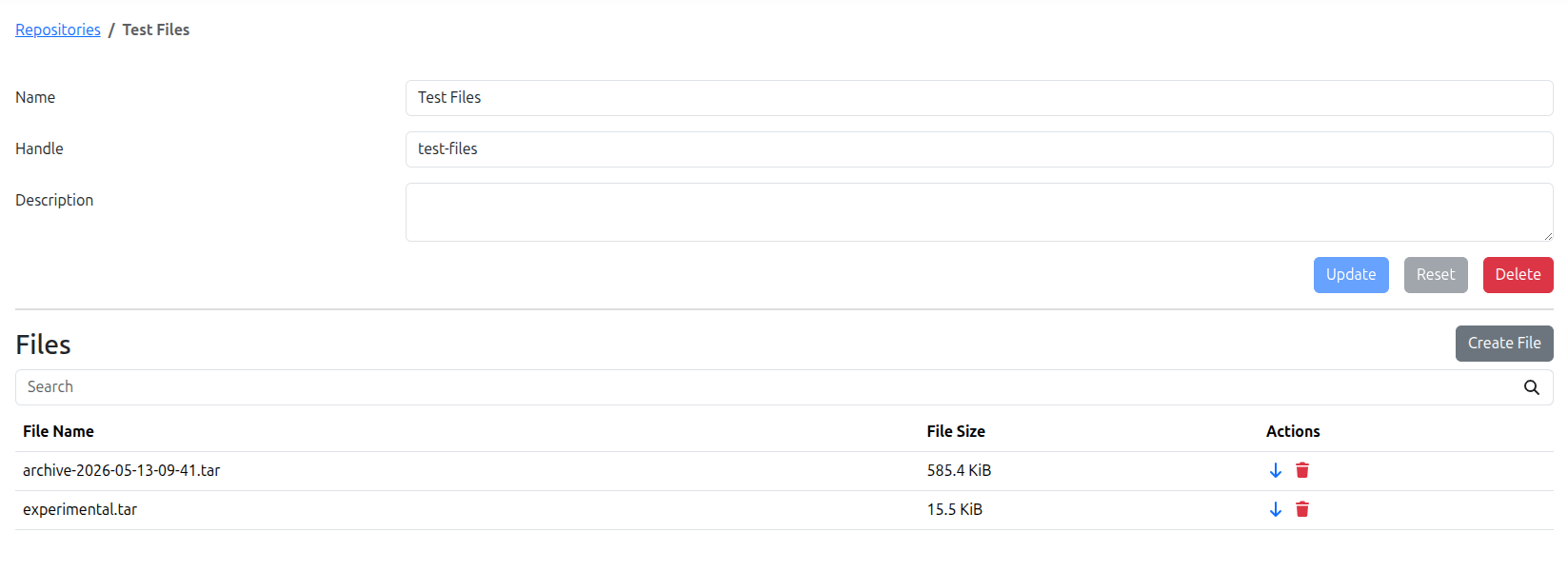
The Repository page shows the information about a specific Repository and Files associated with it in table below.
Editing any field and then pressing the "Update" button saves the new values for the Repository. The "Create File" button allows adding additional Files to the Repository.
Create Repository
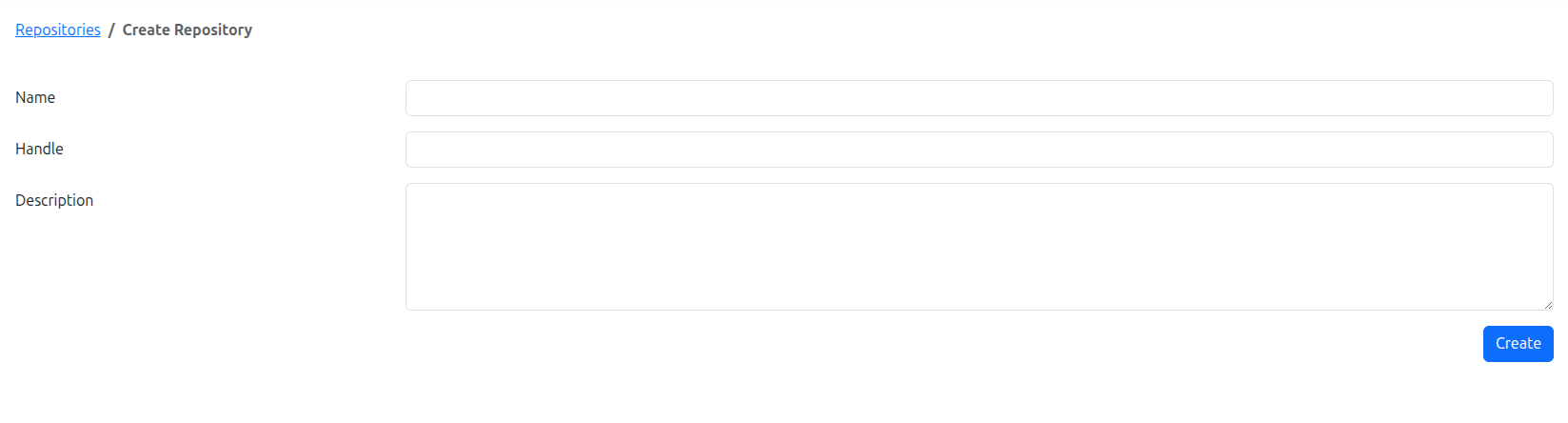
The Create Repository page allows creating a new Repository for storing files.
The Repository information can be provided using the form, and pressing the "Create" button saves the Repository.
Once created, the Repository can be used to store Files and reference them in File Download Requests or File Download Campaigns.